
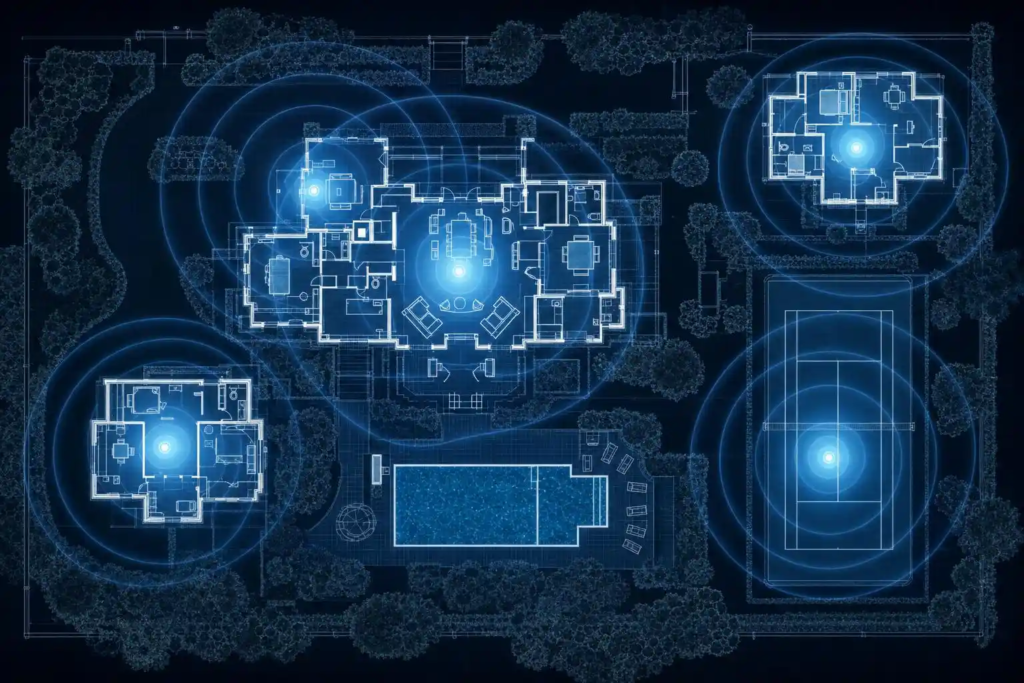
A single router works fine for a 1,500 square foot apartment. It does not work for a 6,000 square foot Hamptons home with a pool house, a guest cottage, a tennis court, and an outdoor kitchen.
Yet that’s exactly the setup we find in most large East End homes — a consumer router sitting in a cable box somewhere, struggling to push a signal through thick walls, across 200 feet of property, and into three separate structures.
The result is predictable: blazing fast WiFi in one corner of the house, dead zones everywhere else, constant complaints from guests, and a system that falls apart completely when a large group arrives.
Here’s how to actually design WiFi for a large property, done correctly from the start.
Understand Why Consumer Routers Fail in Large Homes
A standard consumer router has a range of roughly 150 feet indoors under ideal conditions — meaning open air, no obstacles. In a real home that range drops significantly:
– Standard interior wall: reduces signal by 30-50%
– Exterior wall (especially brick, stucco, or concrete): reduces signal by 50-75%
– Metal insulation or radiant heat flooring: can block signal almost entirely
– Distance to a detached structure: outdoor signal loss is significant even without walls
By the time the signal from a router in your living room reaches the master suite at the other end of the house, the third-floor guest room, or the pool house — it’s often too weak to be useful.
Add the fact that modern homes have dozens of connected devices competing for that weakened signal, and you have a recipe for constant frustration.
The Right Solution: Proper Mesh WiFi or Hardwired Access Points
There are two approaches to covering a large property with reliable WiFi. The right choice depends on your specific home, budget, and how your networking infrastructure is set up.
Option 1: Mesh WiFi System
A mesh system consists of a main router plus one or more satellite nodes (access points) placed throughout the property. All the nodes work together as a single seamless network — your devices connect to whichever node has the strongest signal and hand off automatically as you move around.
Unlike old-fashioned WiFi extenders (which cut bandwidth in half and create separate networks), modern mesh systems are intelligent. The nodes communicate with each other on a dedicated backhaul channel, maintaining full speed throughout the network.
Best mesh systems for large properties:
Eero Pro 6E or Eero Max 7
Excellent for most large homes. Easy to set up, very reliable, good app with useful controls. The Max 7 with its 10Gbps wired backhaul is the top choice for very large homes. A 3-pack covers roughly 6,000 square feet effectively.
Netgear Orbi RBK863S or RBK960
The Orbi line is particularly well-suited to very large homes and outdoor coverage. The RBK863S covers up to 7,500 square feet with a 3-pack. Better range per node than Eero in very large spaces.
TP-Link Deco XE75 Pro
Excellent value for large homes. Strong performance, good range, competitive pricing.
For estate-sized properties (10,000+ sq ft) or complex layouts with outbuildings:
Consumer mesh systems start to hit their limits. This is where enterprise or prosumer equipment like Ubiquiti UniFi or Cisco Meraki becomes the right tool — but this is also where professional installation makes a significant difference.
Option 2: Hardwired Access Points
The gold standard for large property WiFi. Ethernet cable is run throughout the house (in walls, ceilings, or conduit) connecting centrally managed access points in each area of the property. Each access point delivers full-speed WiFi locally without the signal degradation of wireless backhaul.
Advantages of hardwired access points:
– Fastest, most reliable WiFi possible at every point
– No wireless backhaul degradation
– Can cover any distance including long runs to outbuildings
– Centrally managed from a single interface
– Scales as large as you need
The tradeoff is cost and complexity. Running ethernet through an existing home requires drilling, fishing cable through walls, and in some cases opening ceilings. On a new construction or major renovation, this should be part of the plan from the start.
For existing large homes, the right approach is usually a combination — hardwired access points where cable can be run reasonably, with mesh nodes filling gaps where cable isn’t practical.
Covering Outdoor Areas and Detached Structures
Pool areas, outdoor entertaining spaces, and detached structures deserve specific attention.
Pool area and outdoor entertaining:
Outdoor access points designed for weather exposure (look for IP-rated outdoor models from Eero, Netgear Orbi, or Ubiquiti) can be mounted on exterior walls or posts to cover outdoor areas reliably. Running a weatherproof ethernet cable to an outdoor access point gives you full-speed outdoor WiFi without depending on signal penetrating through walls.
Guest cottage, pool house, or detached garage:
If the structure is within reasonable wireless mesh range (under 100 feet line of sight), a mesh node placed inside often works well. For structures further away or with obstructions, running a buried ethernet cable between buildings is the most reliable solution. This is a one-time installation that provides reliable connectivity indefinitely.
Very long distances (tennis court, barn, far cottage):
For distances over 300 feet or where burying cable isn’t practical, a point-to-point wireless bridge can transmit the signal over long distances. Ubiquiti makes excellent outdoor bridge equipment used for exactly this purpose.
How Many Devices Can Your Network Actually Handle?
A large home with guests can easily have 40-50 connected devices. Mapping out what you actually have helps design the right solution:
– Smartphones: typically 2 per person
– Laptops and tablets
– Smart TVs and streaming devices (often 2-3 per room)
– Smart speakers
– Security cameras (each one is a device)
– Smart thermostats, locks, doorbells
– Gaming consoles
– Printers
Most consumer routers handle 20-30 devices adequately. Beyond that, upgrading to equipment designed for higher device counts — which is part of why enterprise-grade equipment makes sense in large homes — becomes important.
Don’t Forget the Internet Plan
The best WiFi equipment in the world can’t deliver speeds your internet service plan doesn’t provide. For a large home with many guests:
– 300 Mbps is a reasonable minimum for a large household
– 500 Mbps handles most situations comfortably
– Gigabit (1,000 Mbps) is ideal and increasingly available on the East End
Check what’s available at your address. Some areas of the Hamptons now have fiber service that is significantly faster and more reliable than the cable or DSL alternatives.
We Design and Install Large Home Networks Across the East End
TechCrazies designs and installs WiFi networks for large homes and estates across the Hamptons, North Fork, and East End of Long Island. We assess your property, design the right solution for your specific layout and needs, and install it properly — so it works reliably for years.
We work with both new construction (designing the network infrastructure from the start) and existing homes (retrofitting reliable coverage into an existing structure).
If your WiFi has been a source of frustration, we’ll fix it properly.
📞 Call or text (631) 446-2220
🌐 techcrazies.com/
Serving the entire East End — Manorville to Montauk, Riverhead to Orient Point. We come to you.