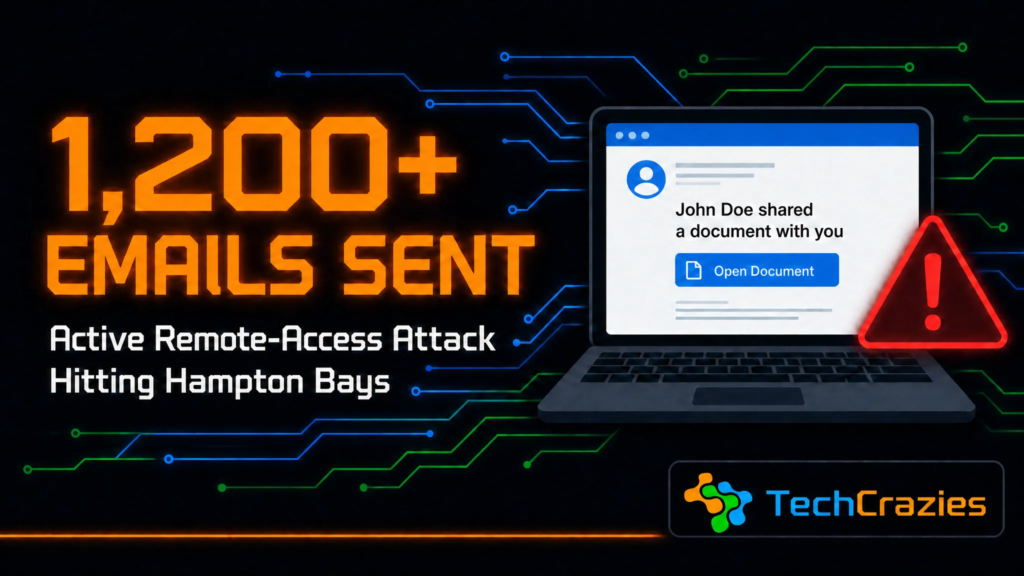
Active Attack Alert: Local Email Account Compromised — Over 1,200 Hampton Bays Residents May Be at Risk
If you’ve received an email that looks like a shared Google Doc recently — especially one that appears to come from a local organization or community group you’re connected to — please read this before you click anything.
TechCrazies was called in this week after a compromised email account belonging to a well-known local organization was used to send a malicious “shared document” email to over 1,200 people in the Hampton Bays area and beyond. This is not a typical phishing scam. It’s an active remote-access attack, and it’s serious.
What the Email Looks Like
A convincing notification that mimics a real Google Docs “shared a document” alert — a sender name, a gray avatar icon, an “Untitled document” file, and a blue “Open” button. It’s built to look like a real Google Docs sharing alert.
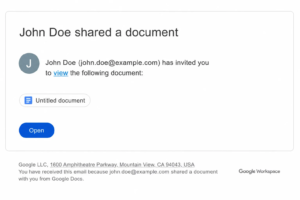
Example based on the real attack email — sender name and email blurred/replaced for privacy. This is what to watch for in your inbox.
An attacker gained access to a local email account and used it to send out what looks like a normal Google Docs sharing notification — the real thing, sent through a real Google account the recipient likely already trusted. That’s what makes this one especially dangerous: it isn’t a spoofed or fake-looking email. It’s coming from an account people know.
Clicking the link in that email silently installs ScreenConnect, a legitimate remote-access tool used every day by IT professionals. Because it’s a signed, legitimate application, many antivirus programs don’t flag the installation as a threat.
Once ScreenConnect is running, the attacker has full remote control of the computer — live, in real time.
Why This One Is Especially Dangerous
Here’s the part that catches people off guard: because the attacker has live access to the compromised computer, they can also read and respond to that person’s emails.
That means if a recipient gets the suspicious email and replies to ask “is this really you? Is this legit?” — the attacker answers. And they’ll say yes.
Calling a number you already trust and know to be real for the sender to verify is far safer than emailing, since the attacker cannot intercept or fake a phone call the way they can respond to email on the compromised inbox.
Once inside, the attacker doesn’t stop at one machine. They dig through the compromised computer for confidential information, and use the victim’s own contact list to send the same malicious email out again — which is exactly how this reached over 1,200 people from a single starting point.
What We Did
TechCrazies spent several hours working directly on the affected system — removing the remote-access tool, closing the persistent connections the attacker had set up to regain access later, and securing the account. As of now, the immediate threat on that device has been cleared.
But with over 1,000 people having potentially received this email, the risk isn’t over — it’s just moved to everyone’s inbox.
How to Protect Yourself and Your Family
- Don’t click “Open” on unexpected shared-document emails — even if they appear to come from someone you know and trust.
- Verify by phone, not by email. If you’re unsure whether a document share is real, call the sender directly using a number you already have. Don’t reply to the email itself — you may not be talking to who you think you are.
- Check your installed programs for ScreenConnect, ConnectWise, or any remote-access software you didn’t personally install.
- Don’t assume “nothing happened” means you’re safe. If you clicked a link and nothing visibly opened, that’s often exactly what it looks like when this type of tool installs quietly in the background.
- Don’t rely on antivirus alone here. Because ScreenConnect is a legitimately signed program, many antivirus tools won’t flag it as malicious.
- If you think you clicked the link, disconnect the device from the internet and have it professionally checked before using it for email, banking, or anything sensitive again.
This Spreads Fast Through Trusted Networks
Because this attack travels through real, trusted email accounts and contact lists — churches, community groups, HOAs, family email chains — one compromised account can reach hundreds of people who have no reason to be suspicious. Please pass this along to family and neighbors, especially those who may be less familiar with this type of scam.
If You Think You’ve Been Affected
Don’t wait it out. This type of remote-access malware gets worse the longer it sits on a device, and every hour matters when an attacker may have live access. If you clicked a suspicious link, noticed unusual activity on your accounts, or just want a computer checked to be safe, TechCrazies is here to help.
TechCrazies — Managed IT Services & Cybersecurity for Homes & Businesses
Serving Hampton Bays and the entire East End of Long Island
📞 (631) 446-2220 | 💬 Text: (631) 594-8128