
Every summer it’s the same story. The weather gets warm, the family arrives, the guests pile in — and suddenly your WiFi is crawling. Pages won’t load. Zoom calls drop. The kids are complaining. Netflix is buffering.
If you’ve experienced this in your Hamptons home, you are absolutely not alone. It’s one of the most common calls we get at TechCrazies every single summer, and the good news is there are very specific reasons it happens — and very specific fixes.
Here’s exactly what’s going on and what you can do about it.
1. Your Router Is Old and Can’t Handle Modern Devices
This is the number one culprit we find when we show up at a home on the East End. A router that was fine five years ago is completely overwhelmed today.
Think about how many devices are now competing for your WiFi signal. Phones, tablets, laptops, smart TVs, streaming sticks, smart speakers, Ring cameras, smart thermostats, gaming consoles — a single household can easily have 20 to 30 devices on the network at once. Most older routers were designed to handle 8 to 12.
When too many devices connect, the router starts queuing requests and everything slows to a crawl. It’s like trying to run a highway through a one-lane road.
The fix: A modern WiFi 6 or WiFi 6E router handles significantly more simultaneous connections without breaking a sweat. If your router is more than 4 years old, replacing it should be your first move.
2. Your Vacation Home Has Dead Zones
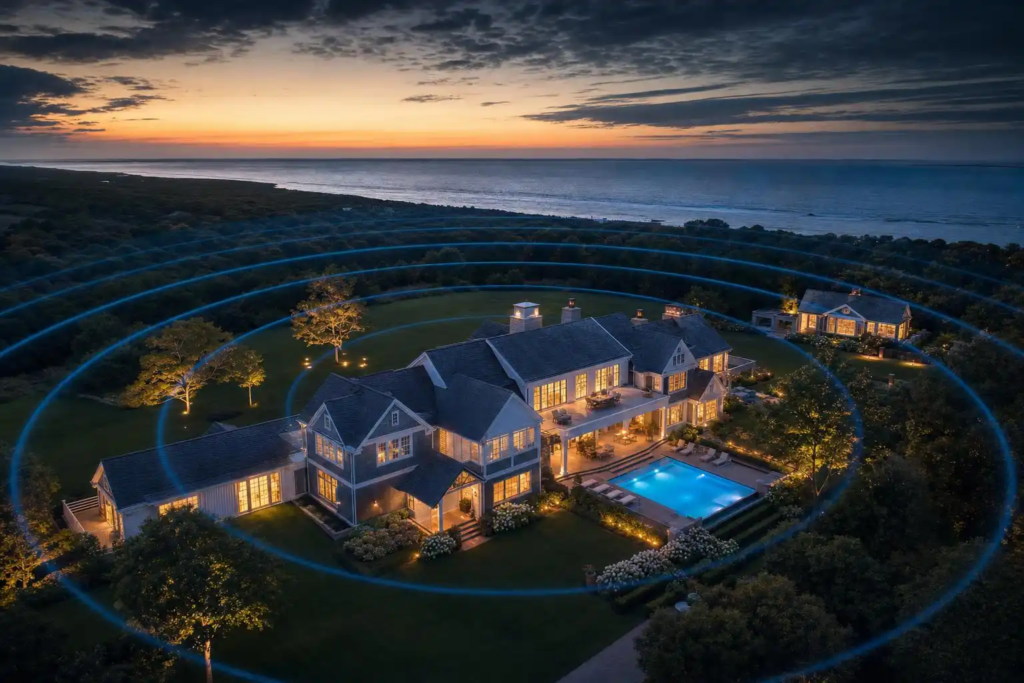
Hamptons homes tend to be large — sometimes very large. A single router sitting in a utility closet or on one end of the house simply cannot broadcast a strong signal to the pool house, the guest cottage, the back deck, or the third floor bedrooms.
WiFi signals weaken with distance and degrade significantly when they have to pass through walls, especially thick older construction or homes with stucco, concrete, or metal-backed insulation.
The fix: A mesh WiFi system — brands like Eero, Google Nest WiFi, or Orbi — places multiple access points throughout your home that work together as one seamless network. No more dead zones, no more “which network do I connect to,” no more signal dropping when you walk to the other side of the house.
For very large properties or homes with detached structures, we often install hardwired access points for rock-solid reliability. This is something we do all the time across the East End.
3. Everyone Arrives at Once
Your internet plan has a maximum speed — let’s say 300 Mbps. That sounds like a lot until you have 6 adults streaming, 3 kids gaming, someone on a video call, and a smart TV running in the background. Suddenly 300 Mbps isn’t enough.
This is especially common in the Hamptons where homes go from zero occupants to maximum capacity overnight. Your network was fine all week with just the caretaker checking in — and then the whole family shows up for the holiday weekend.
The fix: Call your ISP and check if a faster plan is available at your address. Many homes on the East End can now get gigabit (1,000 Mbps) service. It’s often not much more expensive and makes an enormous difference.
Also worth setting up a separate guest network for visitors. This keeps your main network clean and fast for your primary devices.
4. Your ISP Has a Local Congestion Problem
This one is out of your control but worth knowing. Internet service providers size their infrastructure based on average usage. In the Hamptons, population can multiply several times over during summer weekends. The local network infrastructure — the cables and equipment that serve your neighborhood — can get genuinely overloaded.
You’ll notice this most on Friday evenings and holiday weekends when everyone arrives at the same time.
The fix: Not much you can do about this one directly, but checking if a different ISP services your address is worth doing. Some areas of the East End now have fiber options that are significantly more resilient to congestion.
5. Your WiFi Channel Is Overcrowded
WiFi signals operate on channels — essentially lanes on the wireless highway. In a dense area like a Hamptons village or a community with lots of homes close together, everyone’s routers are often broadcasting on the same channels and interfering with each other.
This is less of an issue on larger properties but in villages like Southampton, Sag Harbor, or Bridgehampton where homes are closer together, it’s surprisingly common.
The fix: Logging into your router settings and switching to a less congested channel, or enabling automatic channel selection, can make a noticeable difference. Modern routers with band steering handle this automatically, which is another reason to upgrade if yours is old.
6. The Router Is in a Bad Location
We walk into homes all the time where the router is stuffed in a cabinet, sitting on the floor in a closet, or positioned in the furthest corner of the house from where everyone actually uses the internet. WiFi signals radiate outward in all directions — if your router is in a bad spot, a huge percentage of that signal is going into walls, floors, and empty rooms.
The fix: Centrally locate your router as high as possible and out in the open. Even moving it 10 feet can make a meaningful difference. If the router needs to be near a cable input that’s in a bad location, a wireless access point installed in a better spot can relay the signal.
What We Recommend Before Summer Starts
Every spring we do network checkups for homeowners across the Hamptons, Riverhead, Manorville, and the North Fork before the season starts. It usually takes an hour or two and makes the difference between a summer of WiFi headaches and a summer where it just works.
We’ll assess your current router and equipment, map your dead zones, check your internet plan speed, and give you a straight recommendation for what actually needs to be fixed — without overselling you on things you don’t need.
Still Struggling With Slow WiFi?
Give us a call or shoot us a text. TechCrazies serves the entire East End of Long Island — from Manorville to Montauk, Riverhead to Orient Point — and we come directly to your home. No dropping anything off, no waiting in a queue.
📞 (631) 446-2220
🌐 techcrazies.com/
We’ll figure out exactly what’s slowing you down and get it fixed before your next weekend.